Step 1
When to take inventory
Count on the same day, at the same time, every period — weekly and monthly are both common. A count is only comparable with the last one if each covers a full, equal stretch.
Count when nothing is moving: before the kitchen opens or after it closes, and not while a delivery is being put away. A case that’s half on the dock and half on the shelf gets counted twice or not at all.
If a delivery does arrive before the count, make sure its invoice goes into that period’s purchases. Everything on the shelf has to be in the numbers you compare it with. If you work out food cost monthly, counting on the last day of the month lines the count up with your books.
Step 2
Count in the same order as the shelves
List items on the count sheet in the order they actually sit: the walk-in shelf by shelf, then the freezer, the reach-ins, dry storage, and anything on the line. Walking the same route every time means nothing is skipped and nothing is counted twice. If you work out beverage cost, count the bar on its own sheet: liquor, beer and wine stay out of the food count.
Put each storage area as a heading on the sheet, and add a new item where it lives on the shelf, not at the bottom of the list. With two people, one counts and calls out while the other writes.
The free count sheet below has room for the location, the date and who counted.
Step 3
Count in the right unit: case or each
Before the first count, decide for every item what one unit is — a case, a bag, a bottle, a pound — and write it on the sheet. Everyone counts that item the same way, every time.
Count full units, then the partial one as a fraction: three full cases and a half-used one is 3.5 cases. Or count the loose ones as eaches and convert once when you price them. Just count each item the same way every time.
For open containers, estimate to the nearest quarter or tenth. An estimate made the same way every count is more useful than a precise one made differently each time. And the unit you count in has to be the unit you price in (step 5): forty cans priced by the case is forty cases.
Step 4
Rotate stock as you go (FIFO)
First in, first out: older product goes to the front and gets used first, new deliveries go behind it. The count is a natural time to fix rotation — you’re handling every shelf anyway.
Check dates while you’re there. Anything spoiled or past its date comes off the shelf and goes on the waste log; don’t count it as inventory, because it’s no longer worth what you paid. Label and date anything you portion or prep, so the next person knows what to use first.
Step 5
Value inventory at what you paid
For each line, count × unit cost = total. Add up each page, then the pages, and that’s what the inventory is worth.
Use what you actually paid, not a menu or list price. The price on the most recent invoice is the simplest choice to keep consistent; whichever you pick, use it every count. Price in the unit you counted: if you counted bottles and the invoice is per case of 12, divide the case price by 12.
Example — made-up round numbers
- Rice, 25 lb bag: 4.5 bags × $20.00
- $90.00
- Canola oil, 35 lb jug: 2 jugs × $38.00
- $76.00
- Tomatoes, case: 1.25 cases × $32.00
- $40.00
- Total for these three lines
- $206.00
Step 6
Turn the count into food cost %
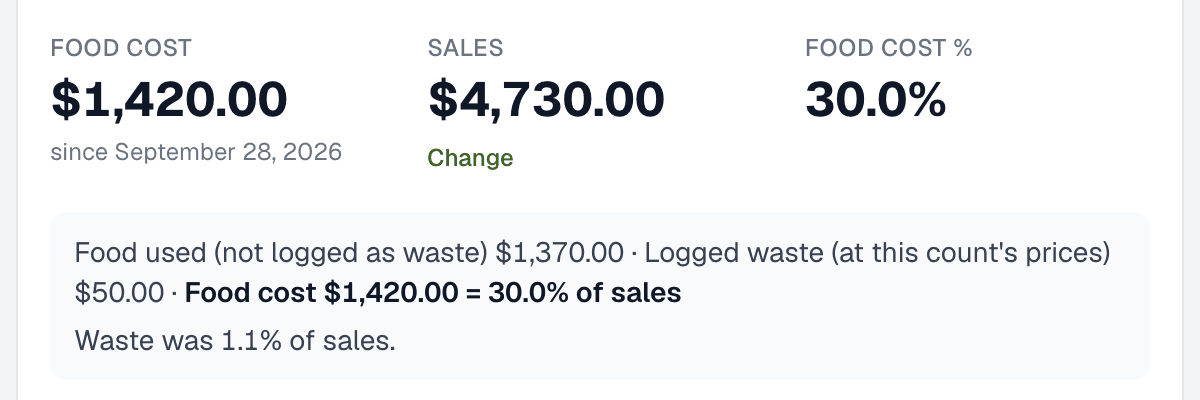
One count tells you what’s on the shelf. Two counts and the invoices between them tell you what the kitchen used — and against food sales, what percentage of them went on food.
Food used = beginning inventory + purchases − ending inventory
Food cost % = food used ÷ food sales × 100
Beginning inventory is the last count’s total and ending inventory is today’s. Purchases are the food deliveries received between the two counts, less credits for returns, and without the paper goods and cleaning supplies on the same invoices. Food sales cover the same dates, after discounts and comps, before tax.
Example — made-up round numbers
- Beginning inventory (last count)
- $10,000.00
- + Purchases since then
- $25,000.00
- − Ending inventory (today’s count)
- $11,000.00
- = Food used
- $24,000.00
- Food sales, same dates
- $80,000.00
- Food cost: $24,000 ÷ $80,000 × 100
- 30.0%
Common inventory mistakes
- Counting in one unit and pricing in another. Cans counted, cases priced: the line is off by the size of the case.
- Skipping a storage area. The second freezer, the dry-storage overflow, the containers on the line. Keep them on the sheet even when they’re nearly empty.
- Mismatched dates. Both counts, the purchases and the sales all have to cover the same stretch. One invoice in the wrong period moves the percentage.
- Old prices. A price from months ago values the shelf at what things used to cost.
- Counting waste as stock. Spoiled or expired product has no value left. Log it as waste and leave it off the count.
- Changing the method between counts. A different unit, route or pricing rule makes this count impossible to compare with the last one.
- Tax or drinks in food sales. Compare food purchases with food sales only, before tax.