
Free calculator
Par level calculator
How much of an item to keep on the shelf between deliveries, and how much of it to order today. Work one item at a time.
Works right here in your browser. Nothing you type is saved or sent anywhere.
Par level and today’s order
Work one item at a time, and use the same unit in every box — cases, bottles, pounds.
The unit you count this item in.
How much you go through on a normal day.
From this delivery to the next one. Trucks Monday and Thursday: Monday’s delivery lasts 3 days.
A cushion for a busy night or a late truck. Leave blank for none.
What’s on the shelf as you place the order. If the truck is more than a day away, take off what you’ll use before it arrives.
- Daily usage
- —
- × Days this delivery has to last
- —
- + Safety stock
- —
- = Par level
- —
- − On hand now
- —
- = Order today
- —
How it works
Par levels, in plain English
The calculator does the arithmetic below and nothing else, so you can check any result by hand.
The par level formula
A par level is how much of an item you want on the shelf when a delivery arrives, so it lasts until the next one with a little left over. Work it out in the unit you count the item in.
Par = (average daily usage × days between deliveries) + safety stock
Order today = par − on hand, and never less than zero
Average daily usage is how much you go through on a normal day: what you used over the last couple of weeks, from your counts and invoices, divided by the days you were open.
Days between deliveries is how long this delivery has to last: from the day it arrives to the day the next one does. If the truck comes Monday and Thursday, Monday’s delivery has to carry you three days and Thursday’s four. That’s different from how long an order takes to arrive, which is what the min below uses.
Safety stock is the cushion for a busy night or a late truck. Keep it small for anything that spoils quickly and larger for things you can’t run out of.
Example — made-up round numbers
- Average daily usage
- 2 cases
- × Days this delivery has to last
- 3 days
- = Used before the truck
- 6 cases
- + Safety stock
- 1 case
- = Par level
- 7 cases
- − On hand now
- 3 cases
- = Order today
- 4 cases
“Try the example” in the calculator fills in these numbers.
Min and max levels
Instead of one par, you can keep two numbers for each item, so it only goes on the order when it actually needs to.
Max is the most you want on the shelf — in practice, your par. Ordering past it ties up cash and shelf space, and for anything perishable it’s how product ends up in the bin.
Min is the point where you reorder. Set it so what’s on the shelf still covers you until an order placed today arrives, plus your safety stock.
Min = daily usage × days for an order to arrive + safety stock
Max = your par level
Below min? Order max − on hand
Check the items against their min at the same time every day, and the order writes itself: anything at or above min is fine, anything below it is ordered back up to max. To find usage in the first place, take an inventory count — the inventory guide shows how.
Example — made-up round numbers
- Daily usage
- 2 cases
- × Days for an order to arrive
- 1 day
- + Safety stock
- 1 case
- = Min
- 3 cases
- Max (the par above)
- 7 cases
- On hand at the morning check
- 2 cases
- = Order: 7 − 2
- 5 cases
In Kitchen on Hand
Min and max levels, checked every day
Every item in Kitchen on Hand can have a Min and a Max, in the unit you stock it in. On the daily walkthrough the crew sees both on each item and taps Good or Order. Log how many are on the shelf and anything below its Min switches to Order by itself; finish an inventory count and items counted below their Min are flagged for ordering as well.
Ready to Order groups what’s needed by vendor and, after a count, suggests the amount that brings each item back up to Max. You check the quantities, save the purchase order and send it to your vendor by email, text or print, with a link they can use to confirm it. The app doesn’t forecast demand: it works from the levels you set, and shows what you’ve usually ordered.
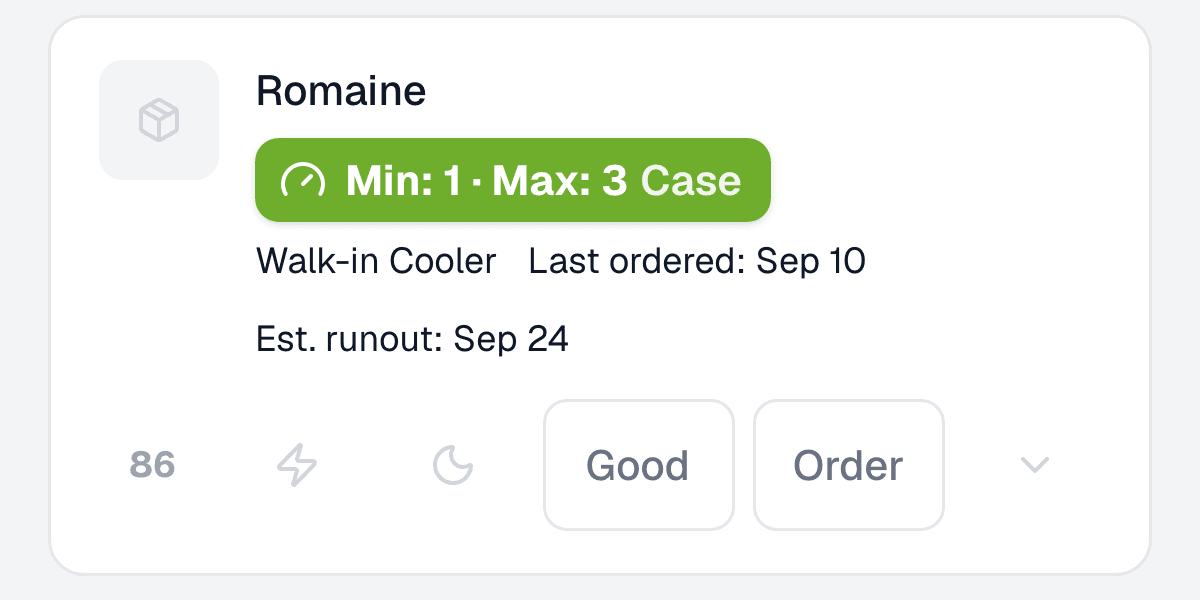
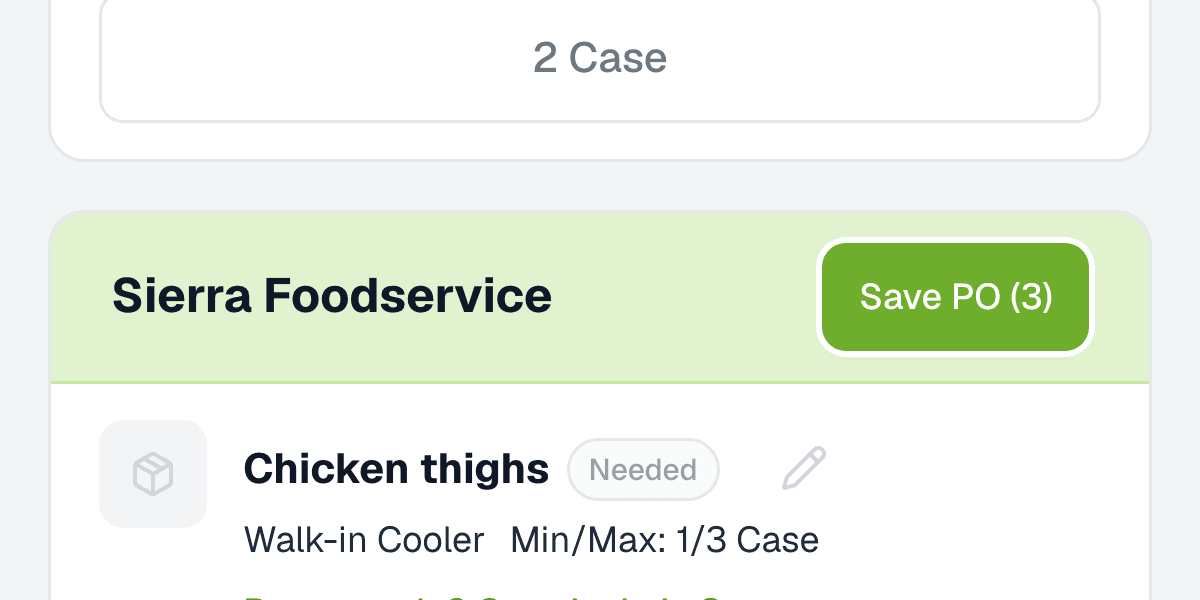
Real screens from the app, using an example kitchen.
Questions
Par level questions
What is a par level?
The amount of an item you want on the shelf so it lasts until the next delivery, with a small cushion on top. Each time you order, you order enough to bring the item back up to par.
How is par different from min and max?
Par is one number: what to fill back up to. Min and max split it in two. Max is the most you want on hand — usually the same as your par. Min is the point where you reorder, so an item only goes on the order when it has dropped below it.
How do I work out average daily usage?
Take what you used over the last couple of weeks — beginning count plus deliveries minus ending count — and divide by the days you were open. If weekends are much busier, work out a weekday and a weekend figure separately.
How much safety stock should I keep?
Enough to cover a busy night or a late truck, but not so much that it spoils. One simple starting point is about a day’s usage for items you can’t run out of, and less for anything with a short shelf life. Adjust after a few deliveries.
How often should par levels change?
Whenever what drives them changes: a new menu, a new season, a different delivery schedule, or a stretch where you keep running out or keep throwing product away.
Is anything I type saved or sent anywhere?
No. The calculator works entirely in your browser. Nothing you type is stored, sent or tracked, and it’s gone when you leave or reload the page.
Free tools
More for your kitchen, free
Calculator
Food cost calculator
Food cost % for a week or month, what one plate costs to make, and the menu price that hits your target.
Guide
How to take restaurant inventory
When to count, how to count and value it, and how to turn the count into food cost — with a free printable count sheet.
Walk your kitchen with it tomorrow morning.
Sign up, photograph an invoice, check the items it read, and walk the line with it. Free for 30 days, no card to start.
Or email support@kitchenonhand.com — a founder answers.